Your code has a new co-worker.
A pixel desktop companion that reacts to your typing, your cursor and your AI coding agents.
2.1 MB installer. Free and open source under the MIT license. macOS and Linux beta builds are on the download page, or get it on GitHub.
Move your mouse, type anything, or click the critter to pet it.
Look what it can do
Nine things you will notice in the first hour. Every clip is the real engine, recorded frame by frame.
-
Eye follow
Pupils and head follow your cursor, even right over its face.
-
Mochi drag
Grab it like mochi. It stretches, gets dizzy if you shake it, and lands with a squish.
-
Typing and overheat
Paws knead along with your keys. Hammer them and it turns red and steams.
-
Petting
Rub the cursor over its head for hearts and a purr.
-
AI agent
Thinks along with your coding agent, follows its tool calls, and hops when it is done.
-
Idle, sleep, wake
Walk away and it gets bored, curls up with Zzz, and wakes when you come back.
-
Reminders and Pomodoro
Stretch and water nudges on your schedule, with a pixel Pomodoro timer beside it.
-
Peek mode
A fullscreen video covers the screen, so it hides at the edge and only peeks out for reminders.
-
Make it yours
Swap the character, recolour it live and scale it from 1x to 4x.
See it on a real desktop
Everything it does
Eighteen features, all running locally. Most of them you only notice when they happen.
It reacts to you
- Typing Paws knead along with your keys. Key counts only, never what you type.
- Overheat Hammer the keyboard for a few seconds and it turns red and steams.
- Scrolling Scroll and it unrolls a paper roll (a scroll for Yoda).
- Cursor eyes Pupils and head follow your cursor across every monitor.
- Mouse hunt Whip the cursor past it and it crouches, wiggles and pounces.
- Petting Rub the cursor over its head for hearts and a purr.
- Drag and shake Grab it like mochi. Shake it and it gets dizzy.
It looks after you
- Idle and sleep It gets bored when you leave and falls asleep, then wakes the moment you return.
- Stretch and water Reminders on your own schedule, with do-not-disturb hours.
- Pomodoro Focus, break and long-break loops with a pixel timer beside it.
- Scheduled messages A note at a set time: once, daily or on weekdays.
- Pinned note A sticky note that stays above its head.
- Your name Bubbles use your name. Yoda keeps his syntax.
It stays out of your way
- Peek mode Hides at a screen edge while a fullscreen app or video is up. Only reminders break through.
- Tray and shortcuts Switch character, run Pomodoro, mute or hide from the tray. Global hotkeys for peek, hide and settings.
- Settings sync Export and import settings, or point it at a sync folder to share them across machines.
- Make it yours Edit colours with a live preview, scale 1 to 4x, opacity, sound and volume.
- Click-through Clicks pass through everything except the critter itself.
- Autostart Optional. Quiet by design.
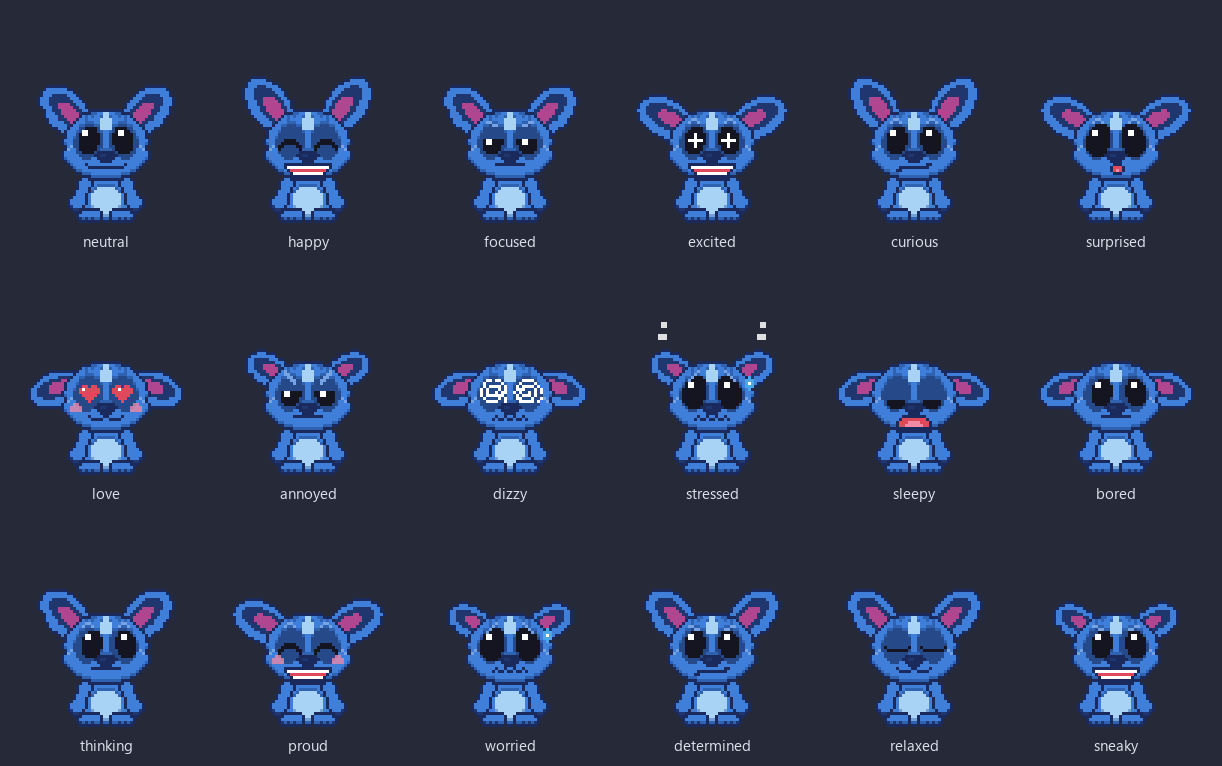
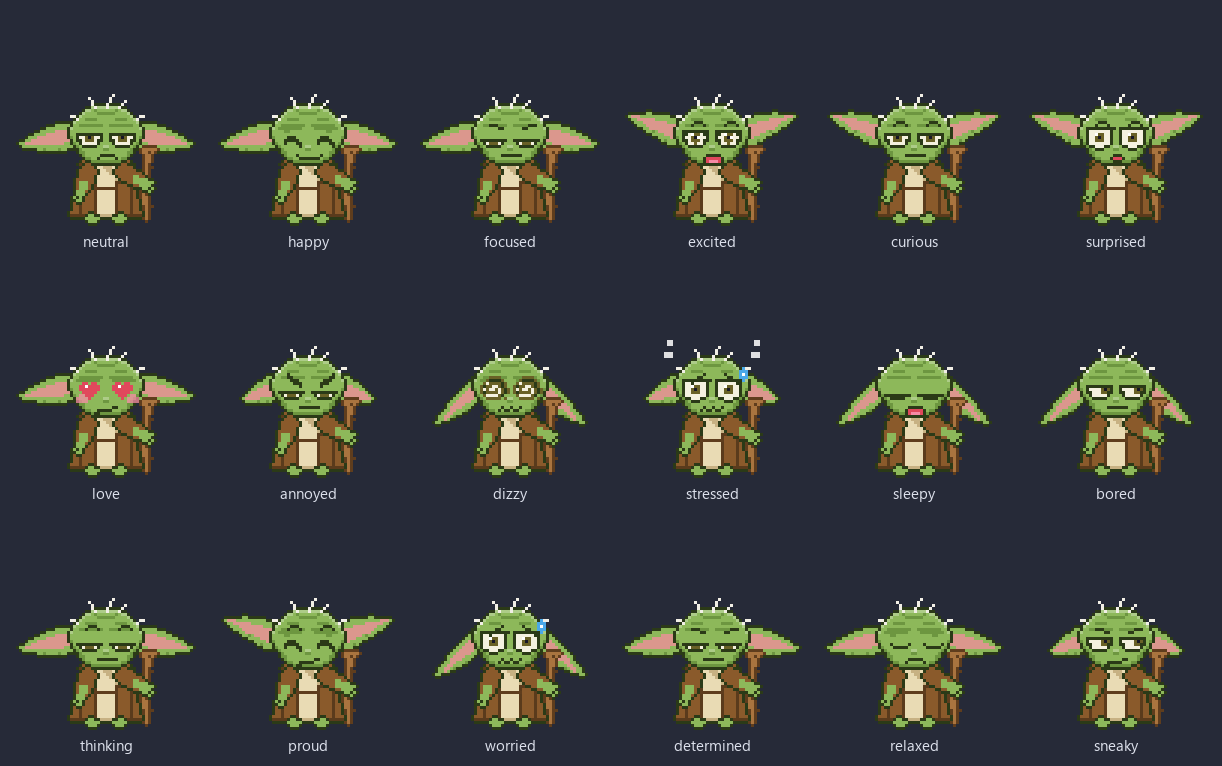
It watches your AI agents work
When your coding agent thinks, runs a tool, waits for you, finishes or fails, the critter reacts. Pick an agent and fire an event at the critter on this page.
Try it live
$ waiting for an event...
The critter is the one you see on this page (it sits in the corner as you scroll).
How it works with your agent
- Install the hook. Open Settings, then Agents, and click Install. CodeCritter edits your agent's config for you, keeps a backup, and can uninstall just as cleanly.
- Work as usual. The agent's hook sends a tiny status event to an endpoint on your own machine (127.0.0.1, with a random token).
- Watch the critter. It thinks along, hops when the agent is done and sounds the alarm on errors or questions.
One-click install: Claude Code, Codex CLI, Cursor, Gemini CLI, Antigravity, Kiro, GitHub Copilot CLI and
OpenCode. Devin and anything else: one curl call.
Agent setup guide
Private and tiny
- Counts, not content. Keystrokes become a rate. Key identities never leave the input hook and are never stored.
- No telemetry, no accounts. The only network request is the optional, signature-verified update check, and you can turn it off. The agent endpoint only listens on your own machine and rejects browser requests.
- Quiet when idle. It redraws about once a second at rest, and only while animating otherwise.
- Installer
- 2.1 MB
- Memory in Task Manager
- ~55 MB
- CPU at idle
- ~1%
One core, release build, idle. The 55 MB is the Task Manager Memory column (private working set); counting shared WebView2 pages, the six processes total about 280 MB. Source: QA report.
Install
Windows
Download the installer (CodeCritter_*_x64-setup.exe). It installs per user, no admin needed,
and fetches the WebView2 runtime only if your PC lacks it.
Builds are unsigned for now. If SmartScreen says "Windows protected your PC", choose More info, then Run anyway. Or get it on GitHub.
macOS and Linux (beta)
Prebuilt macOS and Linux packages are on the download page. They are untested on real machines, so feedback is very welcome. Or build from source (Node 22+, Rust, and the Tauri prerequisites):
git clone https://github.com/rsd-06/codecritter.git
cd codecritter
npm ci
npm run distQuestions people ask
Is CodeCritter free?
Yes. CodeCritter is free and open source under the MIT license, with no account, no ads and no paid tier. The MIT license covers the source code only, not the third-party characters it depicts.
Does CodeCritter record what I type?
No. It counts keystrokes to work out how fast you are typing, but key identities never leave the input hook and are never stored or logged. There is no telemetry.
Which AI coding agents work with it?
One-click hook install is built in for Claude Code, Codex CLI, Cursor, Gemini CLI, Antigravity, Kiro, GitHub Copilot CLI and OpenCode. Devin and any other tool can send events with a single curl call to the local endpoint on your machine.
Will it slow my PC down?
No. On Windows 11 a release build uses about 55 MB in Task Manager and about 1% of one CPU core at idle. It redraws about once a second at rest and only animates when something happens.
How do updates work?
CodeCritter checks GitHub Releases for a signed update, installs it only after the signature matches, and applies it when you are idle or when you quit. This update check is the only network request the app makes, and you can turn it off in Settings.
Is there a version for Mac and Linux?
Yes. Beta builds for macOS (a universal disk image) and Linux (an AppImage and a .deb) are on the download page. They are untested on real machines so far, so feedback is very welcome. Windows 10 and 11 is the fully tested platform.
Free, MIT licensed, and open to your pull request
CodeCritter is built in the open by one developer and a growing list of contributors. New characters, agent integrations, translations and bug reports are all welcome. A character is just data: a few pixel grids and a palette.
- Contributing guide Dev setup, scripts and the browser playground.
- Good first issues Small, scoped tasks for a first contribution.
- Make a character Author a new critter from pixel-grid parts.
- Add an agent Hook formats and the loopback HTTP API.
- MIT license Use it, change it, ship it.